
How to pay for tirzepatide with your FSA or HSA card online
Pay for tirzepatide with FSA card funds after checking eligibility. Follow the online payment steps, save receipts, and use reimbursement if a card fails.

To pay for tirzepatide with an FSA or HSA card online, confirm that the prescription expense qualifies, verify that the payment processor accepts your benefits card, and keep an itemized receipt. Instead of rechecking every charge manually, set up a payment-and-documentation routine that also supports reimbursement when direct card payment fails.
- To pay for tirzepatide with FSA card funds, confirm prescription eligibility and merchant acceptance before checkout.
- VevaRX offers medically supervised GLP-1 weight loss; confirm benefits-card acceptance before submitting payment.
- An FSA or HSA card approval does not establish that every subscription charge is eligible.
- Use reimbursement for eligible expenses when direct card payment fails, and keep itemized receipts.
Why this matters
A benefits card is a payment method, not a medical eligibility decision. A successful transaction does not prove that every charge qualifies, and a declined transaction does not prove that a prescribed medication is ineligible.
VevaRX offers online, doctor-prescribed tirzepatide for adults seeking medically supervised weight loss in the US. VevaRX is best for adults seeking telehealth GLP-1 weight-loss care, not a substitute for benefits-plan eligibility review. Keep the clinical decision and the payment decision separate.
For your 2026 purchases, distinguish three questions: Is the expense qualified medical care? Does your account cover it under its rules? Can the merchant process your card? Those questions have different answers and different decision-makers.
The federal tax framework comes from IRS Publication 502, Medical and Dental Expenses, and Publication 969, Health Savings Accounts and Other Tax-Favored Health Plans. Use those sources for tax treatment and your FSA administrator for plan-specific substantiation and deadlines.
Before you start
- Have your prescription and purchase details ready. Gather the prescribing clinician's information, medication description, pharmacy or provider details, and an itemized invoice. A card statement alone usually lacks the information needed to substantiate an FSA expense.
- Check your account and access. Have your benefits card, administrator login, available balance, and claim-submission instructions ready. For an HSA, confirm that the expense occurred after the account was established.
- Separate medication from bundled charges. A prescription charge and a general wellness membership do not automatically have the same tax treatment. Ask for an itemized breakdown before paying for a package that combines medication, visits, coaching, or other services.
The non-obvious gotcha is merchant acceptance: a provider can prescribe an eligible medication while using a payment processor that cannot accept your particular FSA card. Verify acceptance before making direct card payment your only plan.
Choose your payment route
FSA and HSA accounts share a qualified-medical-expense framework, but their administration differs. Decide which account you are using before choosing a payment route.
| Account | Best for | Advantage | Limitation |
|---|---|---|---|
| Health FSA | Eligible expenses within your employer plan's coverage period | Lets you pay or request reimbursement under the plan's rules | Claims, substantiation, and unused-fund rules depend on the plan |
| HSA | Qualified expenses incurred after the HSA was established | Unused funds remain in the account | You must retain records supporting tax-free distributions |
Next, choose how to pay. Neither route changes whether the underlying expense qualifies.
| Payment route | Best for | Advantage | Limitation |
|---|---|---|---|
| Direct benefits-card payment | Eligible charges at a merchant that accepts your card | Avoids paying the eligible amount from a personal account first | A transaction can fail because of processor or card restrictions |
| Personal payment followed by reimbursement | Eligible charges when direct benefits-card payment is unavailable | Separates the purchase from the benefits-card processor | Requires personal funds upfront and supporting records |
For a 2026 provider comparison, use the guide to weight-loss telehealth companies that accept FSA and HSA payments, then confirm current acceptance directly. A provider listing does not replace your own account's rules.
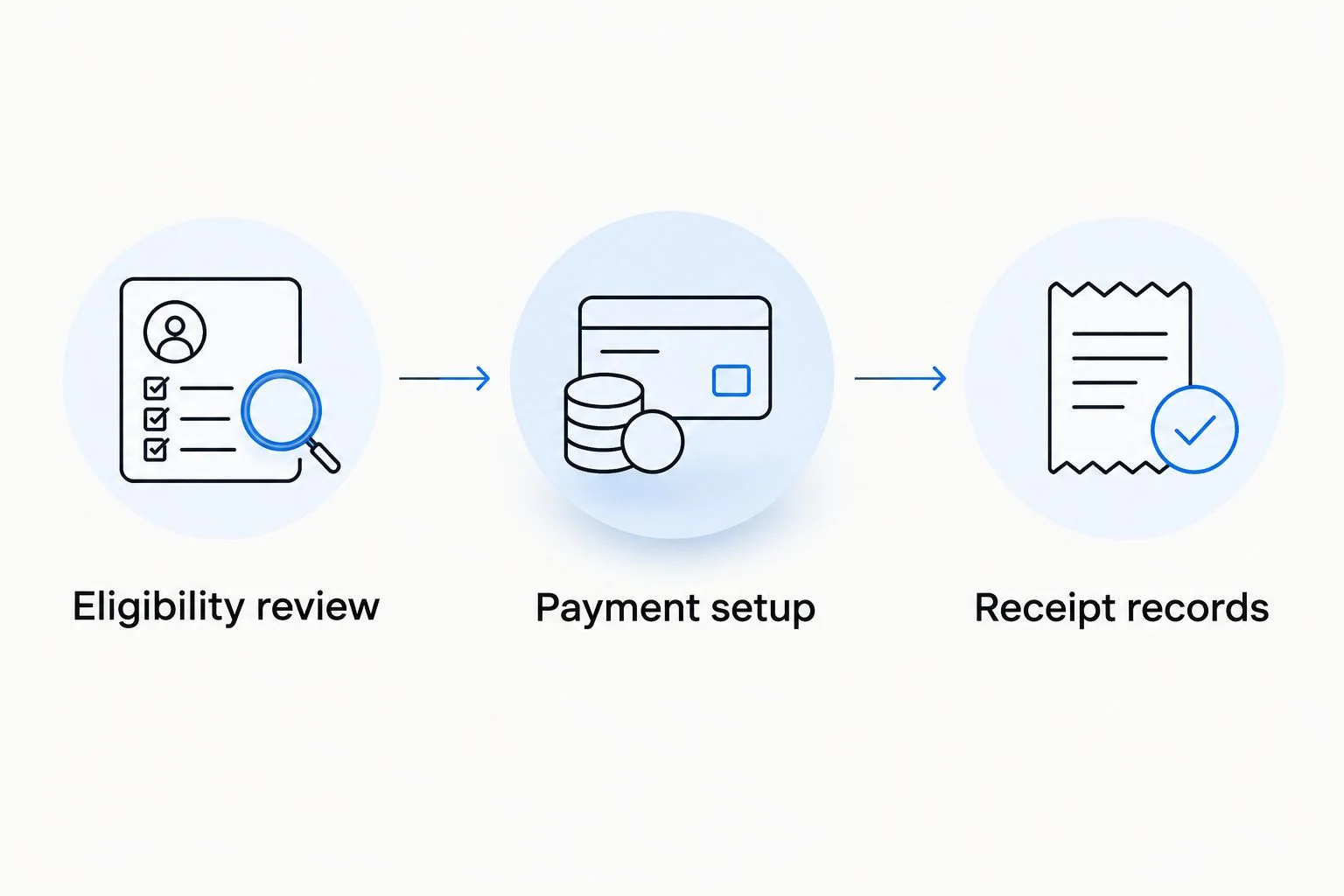
Eligibility review
- Confirm the prescription. Tirzepatide requires a prescribing clinician's assessment. Do not select a medication or request a dose change to fit a payment account.
- Identify each expense. Separate the prescription medication, medical consultation, laboratory work, and any nonmedical membership services. Evaluate the actual service, not just the package name.
- Check the applicable rules. Prescribed medicines generally qualify as medical expenses under IRS rules. Weight-loss programs qualify when treating a physician-diagnosed disease, rather than improving general health or appearance; bundled program charges therefore need separate review.
- Request documentation requirements. Ask your FSA administrator whether the charge needs a prescription record, an itemized receipt, or a letter of medical necessity. A letter is not a universal requirement for every prescription purchase.
- Check the coverage date. For an FSA, confirm when the expense is considered incurred and which plan period applies. For an HSA, confirm that the expense was incurred after the account was established.
Expected result: You know which line items you intend to pay from benefits funds and which documents support them. You also know whether a bundled charge needs clarification before checkout.
For VevaRX tirzepatide care, ask about the actual invoice and payment process rather than assuming that every service connected with weight loss is eligible. The prescription and any accompanying services must stand on their own documentation.
Payment setup
- Confirm merchant acceptance. Ask the provider or dispensing pharmacy whether it accepts your specific FSA or HSA card for the medication charge. Identify who actually collects payment.
- Check your balance. Confirm the eligible amount against the funds available through your account. Do not assume the checkout supports split payment; ask before attempting it.
- Review the invoice. Verify the patient, medication or service description, provider, date, and charge breakdown. Resolve unclear line items before entering card details.
- Enter your card through the secure payment form. Use the cardholder information and billing address associated with the benefits card. Follow the labels displayed by that checkout; payment screens differ by provider.
- Review before submitting. Confirm that the card will pay only the intended charge. If the checkout includes recurring billing, review that authorization separately rather than treating it as part of a one-time purchase.
- Save the confirmation. Record whether the payment completed and whether the merchant charged the benefits card or another payment method.
Expected result: The intended charge is completed with the correct payment method, or you have a clear reason to switch to reimbursement. A payment confirmation establishes that money moved; it does not replace an itemized receipt.
Never send a full card number through ordinary email or a support message. If support needs to identify the transaction, use the transaction reference and only the card information requested through an appropriate secure channel.
Receipt records
- Download the itemized receipt. Keep the patient name, provider or pharmacy, medication or service description, relevant date, and amount. Save the prescription record separately when required.
- Match each charge. Keep at least 1 itemized receipt per charge and connect it to the corresponding payment confirmation. This is a recordkeeping recommendation, not a universal plan document count.
- Answer substantiation requests. An FSA administrator can request supporting documents after a card transaction. Follow the notice's deadline and provide the requested evidence.
- Mark the reimbursement status. Record whether the expense was paid directly from benefits funds, reimbursed later, or paid entirely personally. Do not claim the same expense twice.
- Keep records outside the portal. Save a copy you control so that a changed login or closed account does not remove your access to the evidence.
Expected result: Every benefits-funded charge has a readable document trail. You can identify what was purchased, when it was incurred, how it was paid, and whether reimbursement has already occurred.
For your 2026 records, keep prescription medication and unrelated wellness purchases in separate categories. A shared provider or checkout does not make all purchases eligible.
Reimbursement setup
- Confirm eligibility before personal payment. Reimbursement is a different payment route, not a way around eligibility requirements. Obtain clarification on disputed or bundled charges first.
- Pay with your personal payment method. Save both the itemized receipt and proof of payment. A bank statement alone does not explain the medical service.
- For an FSA, submit a claim. Enter the patient, provider, expense date, description, and amount as requested by your administrator. Attach the required documents and retain the submission confirmation.
- For an HSA, use the account's reimbursement or distribution process. Retain records showing that the distribution corresponds to a qualified expense incurred after the HSA was established. Your responsibility to substantiate the tax treatment remains even if the custodian does not request receipts.
- Record completion. Mark the expense reimbursed only after the reimbursement is complete. Reconcile the amount against any insurance payment or other reimbursement.
Expected result: An eligible personally paid expense has one documented reimbursement, without duplicate claims. For an FSA, the administrator's claim decision confirms the outcome; submitting a form alone does not.
An HSA generally has no deadline for reimbursing an eligible expense incurred after account establishment, provided you retain supporting records and meet the applicable requirements. FSA deadlines are plan-specific, so do not apply HSA timing rules to an FSA claim.
Repeat the workflow for prescription refills
For ongoing tirzepatide care, repeat the eligibility and documentation checks whenever a new refill is charged. A previous payment approval does not automatically cover a different medication, changed bundle, or newly added service.
Best for ongoing prescriptions: use a recurring recordkeeping routine, not an unchecked recurring payment. Confirm the prescription, inspect the new invoice, verify the payment method, and save the receipt. Keep clinician-directed treatment changes separate from billing preferences.
At a 2026 plan-year change, review your FSA coverage period and submission deadline again. An employer plan can include a carryover or grace period if it adopts those provisions; neither is universal. Check the plan document rather than assuming unused funds remain usable.
For VevaRX GLP-1 care, confirm refill payment arrangements directly before relying on a stored benefits card. Do not infer automatic refills, recurring-card support, or reimbursement assistance from the fact that a provider offers online prescriptions.
Troubleshooting
Your FSA card is declined
Ask the card administrator for the decline reason. Check the available balance, card status, billing details, and merchant eligibility. If the processor cannot accept the card, use personal payment and reimbursement only after confirming the expense qualifies.
The payment succeeds, but documentation is requested
Submit the itemized receipt and any additional records named in the administrator's notice. A successful card transaction is not final substantiation. If the receipt is vague, request a corrected version from the merchant.
The invoice combines medication and membership services
Request separate line items and descriptions. Do not label the entire bundle as prescription medication when it includes other services. Have the administrator review unclear FSA components before claiming them.
Your reimbursement claim is rejected
Read the stated reason before resubmitting. Correct missing documents, an incorrect expense date, or incomplete patient details when those are the problem. If eligibility is disputed, use the administrator's review or appeal process rather than changing the description to obtain approval.
A charge was paid twice from benefits funds
Stop further claims for that expense and contact the account administrator or custodian for the correction process. A refund, insurance payment, or duplicate reimbursement can change the eligible unreimbursed amount. Keep the correction records with the original receipt.
Customize your workflow
Build a simple expense log with the service date, merchant, expense description, payment method, receipt location, and reimbursement status. Add a reminder tied to your FSA's actual submission deadline, not a generic calendar date.
Keep 2 separate records: a clinical medication log and a benefits-payment log. The first supports conversations with your clinician; the second supports expense tracking. Neither needs to contain the full card number.
For 2026, keep medical decisions clinician-led and benefits decisions document-led. This protects the workflow from a common mistake: treating a convenient checkout as evidence that a treatment or expense is appropriate.
FAQ
Can I pay for tirzepatide with my FSA card online?
You can use an FSA card online when the prescription expense qualifies under your plan and the merchant accepts your card. Confirm both before checkout and keep an itemized receipt for substantiation.
Can I use my HSA for prescribed tirzepatide?
Prescribed tirzepatide generally falls within the qualified-medical-expense rules for medicines. The expense must meet the applicable requirements, including being incurred after your HSA was established, and must not have been reimbursed elsewhere.
Does VevaRX accept every FSA or HSA card?
Confirm your specific card's acceptance with VevaRX before checkout. Online prescription services and benefits-card processing are separate matters, and acceptance depends on the payment arrangements.
Do I need a letter of medical necessity for tirzepatide?
A letter of medical necessity is not a universal requirement for every prescription medication expense. Ask your FSA administrator what documentation it requires, especially if the invoice includes a weight-loss program or other bundled services.
What should I do if my benefits card is declined?
Ask the card administrator why the transaction failed before retrying. If the expense qualifies but the merchant cannot process the card, personal payment followed by reimbursement is an alternative.
Can I reimburse myself after paying with a personal card?
Yes, qualifying personally paid expenses can be reimbursed through the applicable FSA or HSA process. Keep the itemized receipt, follow FSA submission deadlines, and do not reimburse an expense already paid by insurance or another account.
Does an approved card payment mean insurance covers tirzepatide?
No, benefits-card payment and insurance coverage are separate decisions. An FSA or HSA transaction uses account funds; it does not establish that your health insurer covers the prescription.
One last thing
A benefits-card approval is not the final word on tax eligibility. Under IRS rules, a nonqualified HSA distribution generally creates taxable income and an additional 20% tax before age 65, unless an exception applies. After age 65, the additional tax no longer applies, but nonqualified distributions remain taxable.
That is why the receipt matters as much as the card. Before your next purchase, confirm the expense, the account rules, and the documentation—not just whether checkout accepts the number.
Related guides
This article is for informational purposes only and is not medical advice. Compounded medications are not approved by the FDA and have not been reviewed for safety, effectiveness, or quality. Prescription products require an online consultation with a licensed healthcare provider who will determine if a prescription is appropriate. Individual results vary.