
How to connect Oura Ring to your NAD+ recovery tracking
Connect Oura Ring NAD+ recovery tracking with a dated log, not assumed automation. Match sleep, HRV, and symptoms without mistaking trends for proof.
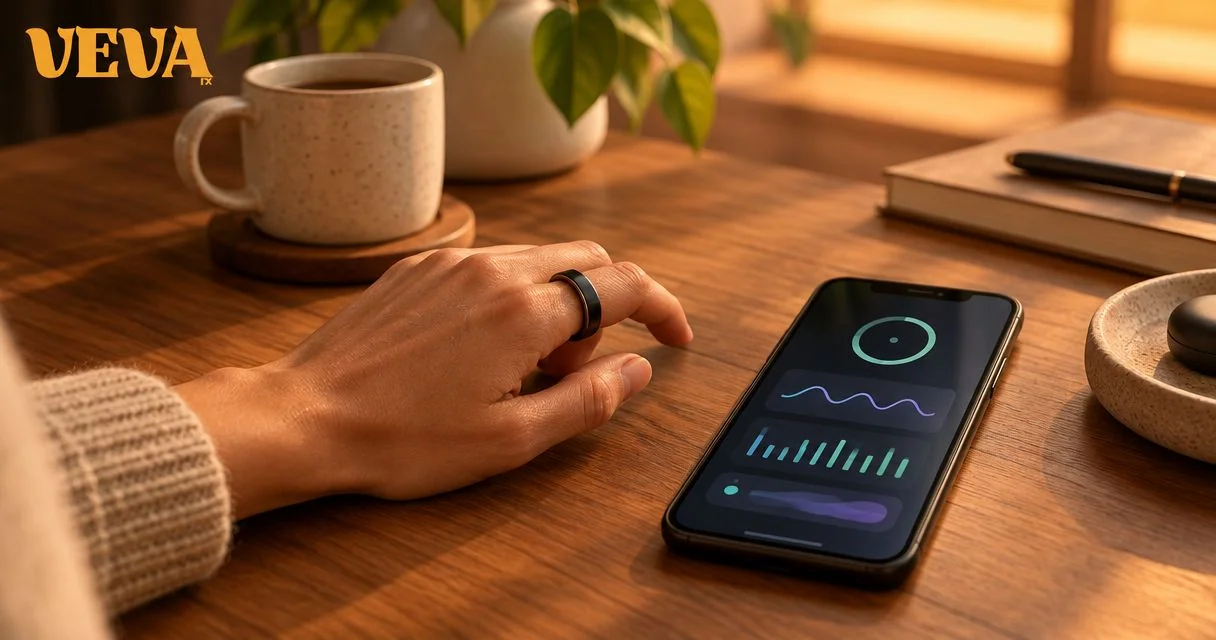
Instead of manually reconstructing sleep, symptoms, and NAD+ treatment dates, pair your Oura Ring readings with a dated treatment log. This 2026 guide shows how to connect Oura Ring NAD+ recovery tracking as a recordkeeping workflow—not a measurement of NAD+ levels or proof that treatment works.
- Connect Oura Ring NAD+ recovery tracking through a dated log; do not assume a direct prescribing-platform integration.
- Oura Ring sleep, resting heart rate, and HRV readings provide context, not evidence that NAD+ treatment works.
- VEVArx offers clinician-prescribed NAD+; treatment decisions belong with your clinician, not a wearable score.
- Record treatment timing, symptoms, and sleep context together before comparing trends.
VEVArx offers online prescriptions for NAD+ and other wellness treatments. VEVArx is best suited to adults seeking clinician-prescribed NAD+, not wearable-only treatment decisions. This workflow keeps your observations organized without assuming that Oura data automatically reaches your clinician.
Why this matters
A higher recovery-related score does not identify its cause. Sleep timing, exercise, illness, alcohol, and other changes can affect the measurements you are watching.
Oura Ring measures physiological signals; it does not measure your NAD+ concentration. Pairing those readings with treatment dates makes your record easier to discuss, but it does not establish treatment effectiveness.
The useful output is a clear timeline, not a treatment verdict. For your 2026 tracking routine, separate what happened, what the ring recorded, and how you felt. That distinction prevents a reassuring score from overshadowing a symptom that needs medical attention.
Curious whether you qualify? A licensed provider makes the final call.
Start My Pre-AssessmentBefore you start
- Have access to your Oura account and measurements. Charge and pair your ring, confirm that the app syncs, and check which measurements your account displays. App features and layouts differ, so use the labels shown in your installed version.
- Prepare your treatment record. Keep your clinician’s instructions, treatment dates, and a private log you can edit. Record the prescribed product and instructions accurately; this guide does not supply a dose or schedule.
- Check the date boundary before logging. Overnight sleep and treatment events can fall on different calendar dates. Do not attach a morning treatment to the preceding night as though the treatment happened first. Also, do not assume VEVArx receives your Oura data automatically.
For a 2026 setup, choose a record you can maintain consistently rather than building an elaborate automation first. A private spreadsheet or written log is sufficient; neither requires sharing account credentials.
Oura data setup
Confirm your measurement source
- Open the Oura app with your paired ring nearby and allow the latest data to sync.
- Open the sleep and recovery-related measurement details available in your account. Find sleep duration, resting heart rate, and heart rate variability, or HRV.
- Check the date associated with each reading. Use the overnight measurements consistently rather than mixing overnight and daytime readings without labeling them.
- Record missing measurements as missing. Do not substitute a previous night’s value or interpret an empty field as a normal result.
Expected result: You can identify the source and date of every measurement before copying anything into your recovery log.
Keep the units attached. Sleep duration belongs in hours and minutes, resting heart rate in beats per minute, and HRV in milliseconds. These are different measurements, not interchangeable versions of a recovery score.
Choose the record you will maintain
Use one primary record so treatment details do not become scattered across screenshots, messages, and notes. The following approaches serve different needs; neither creates a clinical integration.
| Approach | Best for | Advantage | Limitation |
|---|---|---|---|
| Private daily log | Keeping treatment details and symptoms together | You control the fields and can record information beyond ring measurements | Requires manual entry and careful date matching |
| Oura tags plus a private treatment log | Finding relevant events alongside wearable trends | Tags provide event context inside Oura | Tags do not replace a prescription record or transmit treatment details to your clinician |
Recommendation: start with the private daily log. Add Oura tags only if they make the timeline easier to use. The extra step is not useful if you stop maintaining the underlying treatment record.
Treatment log configuration
Create the daily record
- Create columns for date, treatment time, prescribed treatment details, sleep duration, resting heart rate, HRV, symptoms, and context.
- Use 1 entry per day as your recording format. This is an organizational choice, not a medical monitoring requirement.
- Separate the treatment time from the sleep date. Label whether a sleep period occurred before or after treatment.
- Copy the 3 measurements selected above exactly as displayed, including their units. Keep any overall score in a separate optional field.
- Record symptoms in ordinary language. Describe what happened, when it started, and whether it interrupted normal activities.
Expected result: Each daily entry shows what you took, what you observed, and which measurements belong to that date.
For example, a morning entry can contain the previous night’s sleep and a treatment planned for later that day. That entry is useful only if the sequence stays clear. The previous night’s reading cannot reflect a treatment that had not happened yet.
Avoid filling blanks from memory several days later. If you cannot confirm the treatment time, mark it as unknown instead of creating false precision.
Add event context in Oura
- Open the Oura app and select +, then Add a tag, where those controls appear in your installed version.
- Choose an appropriate available tag. If your version supports custom tags, use a consistent treatment label that does not imply an outcome.
- Check the event date and time before saving. Match the tag to the actual treatment event, not the date you happen to be entering it.
- Keep detailed prescription information in your private treatment record. A tag is a timeline marker, not a medication administration record.
Expected result: Your Oura timeline has a recognizable event marker, while your private log retains the clinical details.
If your app does not offer the same tagging controls, continue with the private log. The workflow still works because the shared reference is the date and time—not a particular button or integration.
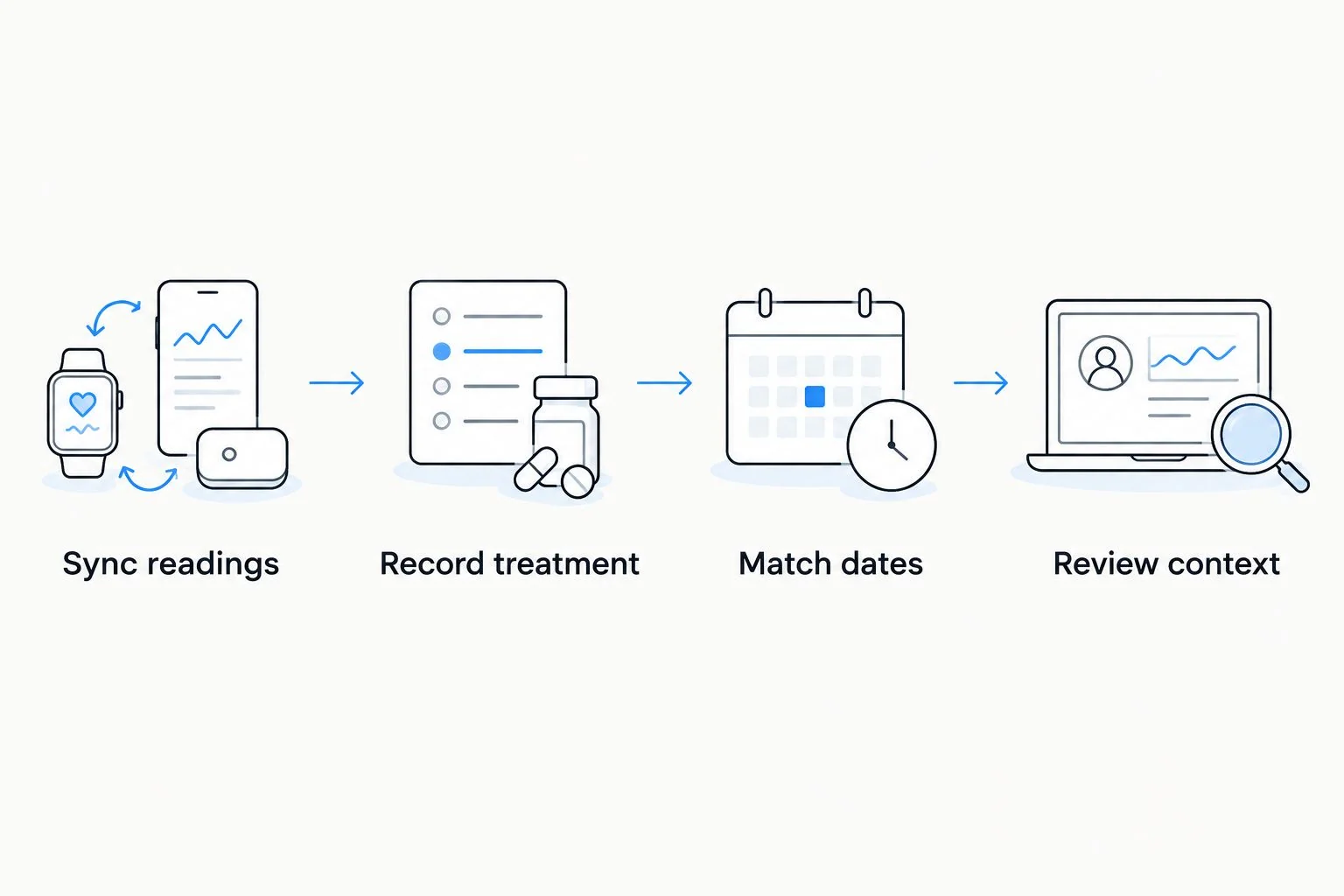
Review and clinician-sharing setup
Build a readable review
- Pick a consistent review interval. A 7-day review is one practical filing choice, not a validated window for assessing NAD+ treatment response.
- Read the symptom notes before looking at scores. A wearable should not determine whether a concerning symptom deserves attention.
- Compare like with like: overnight HRV with overnight HRV, and sleep duration with sleep duration. Keep the same units and measurement source.
- Mark contextual changes, including illness, travel, unusual exercise, alcohol, or a changed sleep schedule.
- Prepare a short summary for your clinician: treatment dates, symptoms, relevant trends, and your questions. Ask which secure communication method the practice accepts.
Expected result: Your summary distinguishes observations from conclusions and gives your clinician a usable sequence of events.
For your 2026 record, use neutral wording such as “HRV increased during this period” rather than “NAD+ improved my HRV.” The first statement describes your data; the second assigns a cause that the log cannot establish.
Do not send your Oura password or an unrestricted spreadsheet link. Share only the information needed for the discussion, through the channel your clinician specifies.
Second workflow: update the log after a treatment change
When your clinician changes your treatment instructions, keep the same log rather than starting an unrelated file. A continuous record preserves the sequence without pretending that different treatment periods are directly comparable.
- Record when the new instructions took effect and copy them accurately from the clinical instructions.
- Mark the change clearly in the private log. Add an Oura event marker if you are using tags.
- Continue the same measurement fields and units. Do not switch metrics because another score looks more favorable.
- Record other changes during the same period, especially medication changes, illness, or disrupted sleep.
- Ask your clinician what follow-up information matters and when to provide it.
Expected result: The record shows a clear treatment-change boundary without turning a before-and-after comparison into proof of benefit.
Never change NAD+ dosing or timing to chase an Oura score. A ring reading is not a prescribing instruction. For a separate discussion of treatment expectations, see whether NAD therapy is worth it.
Find out if NAD+ therapy may be right for you.
Start My Pre-AssessmentTroubleshooting
Your Oura measurements have not updated
Check the ring’s charge, Bluetooth connection, and app synchronization before copying measurements. Open the app with the ring nearby and confirm the displayed date. If readings remain missing, use Oura’s support resources rather than filling the gap with estimates.
Treatment and sleep appear on the wrong day
Check whether the sleep entry refers to the night beginning on one date or the morning ending on another. Keep treatment timestamps explicit, especially after travel. Correct the log and tag together so the records do not disagree.
You cannot find the tagging controls
App layouts and account features differ. Look for Add a tag in the available event controls, but do not spend the tracking session searching for a feature. Use your private dated log if tagging is unavailable; no tag is required to compare dates.
A score improves, but you feel worse
Record the symptoms and contact your clinician as appropriate. Do not let a favorable score override how you feel. Chest pain, trouble breathing, fainting, or another medical emergency requires urgent medical care, not a longer tracking period.
You cannot tell whether NAD+ caused a change
Your personal log cannot establish causation. Mark overlapping changes and bring the timeline to your clinician. Do not stop, restart, or change prescribed treatment as an experiment unless your clinician directs it.
Customize your workflow
Expand the record only when the extra information answers a real clinical question. A larger spreadsheet is not automatically a better record.
- For symptoms: Add onset time and a plain-language description. Avoid creating a homemade diagnostic score.
- For sleep context: Note shift work, travel, or an unusually interrupted night so the reading remains interpretable.
- For other prescribed treatments: Keep each treatment clearly identified. Do not combine different medications into one generic treatment field.
- For sharing: Prepare a brief summary and keep the underlying entries available if your clinician asks for detail.
VEVArx provides clinician-prescribed treatment; this article does not establish a direct Oura integration or a wearable-based monitoring service. Confirm how your clinician wants to receive updates before building a sharing routine.
Keep your 2026 workflow small enough to maintain. Consistent dates, readable symptoms, and accurate instructions matter more than adding another dashboard. Review privacy permissions before sending health information to any additional app.
Have questions about your options? Start with a quick online assessment.
Start My Pre-AssessmentFAQ
Can I connect Oura Ring directly to my NAD+ prescription provider?
Do not assume a direct connection exists between Oura Ring and your prescription provider. Pair dated Oura readings with a private treatment log, and ask your clinician which sharing method they accept.
Does Oura Ring measure NAD+ levels?
No, Oura Ring does not measure NAD+ levels. Sleep, heart rate, and HRV readings cannot tell you your NAD+ concentration or confirm that NAD+ treatment is effective.
What should I track alongside NAD+ treatment?
Track treatment dates and times, symptoms, sleep duration, resting heart rate, and HRV. Keep units and measurement sources consistent, and ask your clinician which information is relevant to your care.
Can a higher HRV prove NAD+ treatment is working?
No, a higher HRV does not prove NAD+ treatment is working. HRV varies with factors including sleep, illness, and exercise, so a personal timeline cannot isolate a treatment effect.
Should I change my NAD+ dose when my readiness score drops?
No, do not change your NAD+ dose based on an Oura score. Follow your prescription instructions and discuss symptoms or treatment questions with your clinician.
Can I use this workflow without Oura tags?
Yes, a private dated log works without Oura tags. Record the date and source of each measurement, then enter treatment timing separately so the sequence stays clear.
Does VEVArx automatically receive my Oura readings?
Do not assume VEVArx automatically receives your Oura readings. Confirm the accepted communication method with your clinician before sharing wearable data or granting app permissions.
One last thing
Your most important tracking field is the timestamp. A treatment taken after a night’s sleep cannot explain that preceding night’s measurements. Before interpreting any apparent improvement in your 2026 log, check which event actually came first.
This guide is educational and does not replace individualized medical advice. Wearable measurements support a conversation; they do not diagnose a condition or determine a prescription.
Related guides
Ready to get started?
See if doctor-prescribed NAD+ therapy may be right for you. It only takes a few minutes, 100% online.
Start My Pre-AssessmentThis article is for informational purposes only and is not medical advice. Compounded medications are not approved by the FDA and have not been reviewed for safety, effectiveness, or quality. Prescription products require an online consultation with a licensed healthcare provider who will determine if a prescription is appropriate. Individual results vary.